
High-value customersCustomer segment
SyncExisting customersCustomer segment
Sync Mailgun
Prepare your campaigns
Lists ready for your emails
Populate Mailgun mailing lists from DinMo segments with the member data your emails need.

Populate Mailgun mailing lists from your warehouse segments and send your emails to the right recipients.
 MailgunMailgun
Prepare your campaigns
Populate Mailgun mailing lists from DinMo segments with the member data your emails need.
Connect, step by step
Available services: mailing lists.
In DinMo destinations, choose Mailgun and connect the platform with the credentials and permissions required by the selected service.
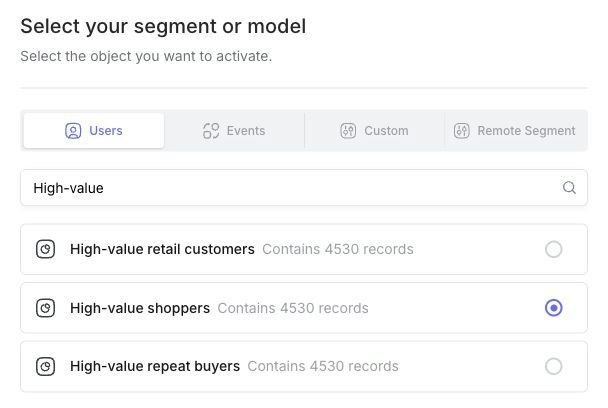
Choose the model or segment matching the selected service: list members.
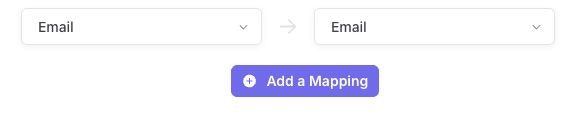
Map model fields to those required by the selected Mailgun service. Check its matching key and required fields. The image illustrates one email mapping; complete the other fields required by the selected service.
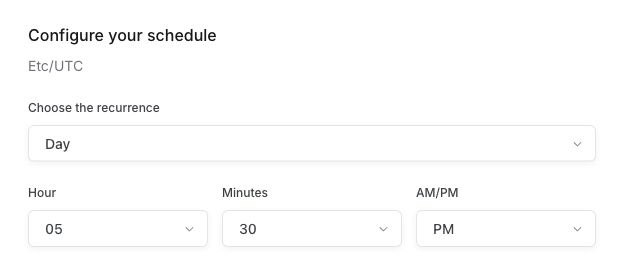
Choose a schedule appropriate for the service, then check the delivered data after the first run.
Define recipients once in DinMo from your warehouse data. Mailgun lists follow segment changes automatically, so product and marketing emails reach the right people without CSV uploads.
Your data has potential
Discover how to connect Mailgun to your marketing workflows.