




In this tutorial
Prepare your data
First step is to ensure that Google BigQuery is already configured as a source in DinMo, and Hubspot has been added as a destination and that the destination target is already set up.
If needed, you can have a look at our documentation.
Ensure that you have already created the segments that you wish to sync to Hubspot in DinMo. If not, go to the Segments tab, click "New Segment," and create them one by one with the appropriate rules.
Create your activation
Navigate to the Activations tab, and click "New Activation" in the upper-right corner of the screen.
Select "User Segment". Then, choose the segment containing the data you wish to synchronize to Hubspot. Once you are done , click "Continue".
Select the activation target you created in step 1.
Indicate if you want DinMo to create new contacts in Hubspot, or if you only wish to update the existing ones.
Indicate which property to send in order to recognize each contacts in Hubspot. This can typically be the email address.

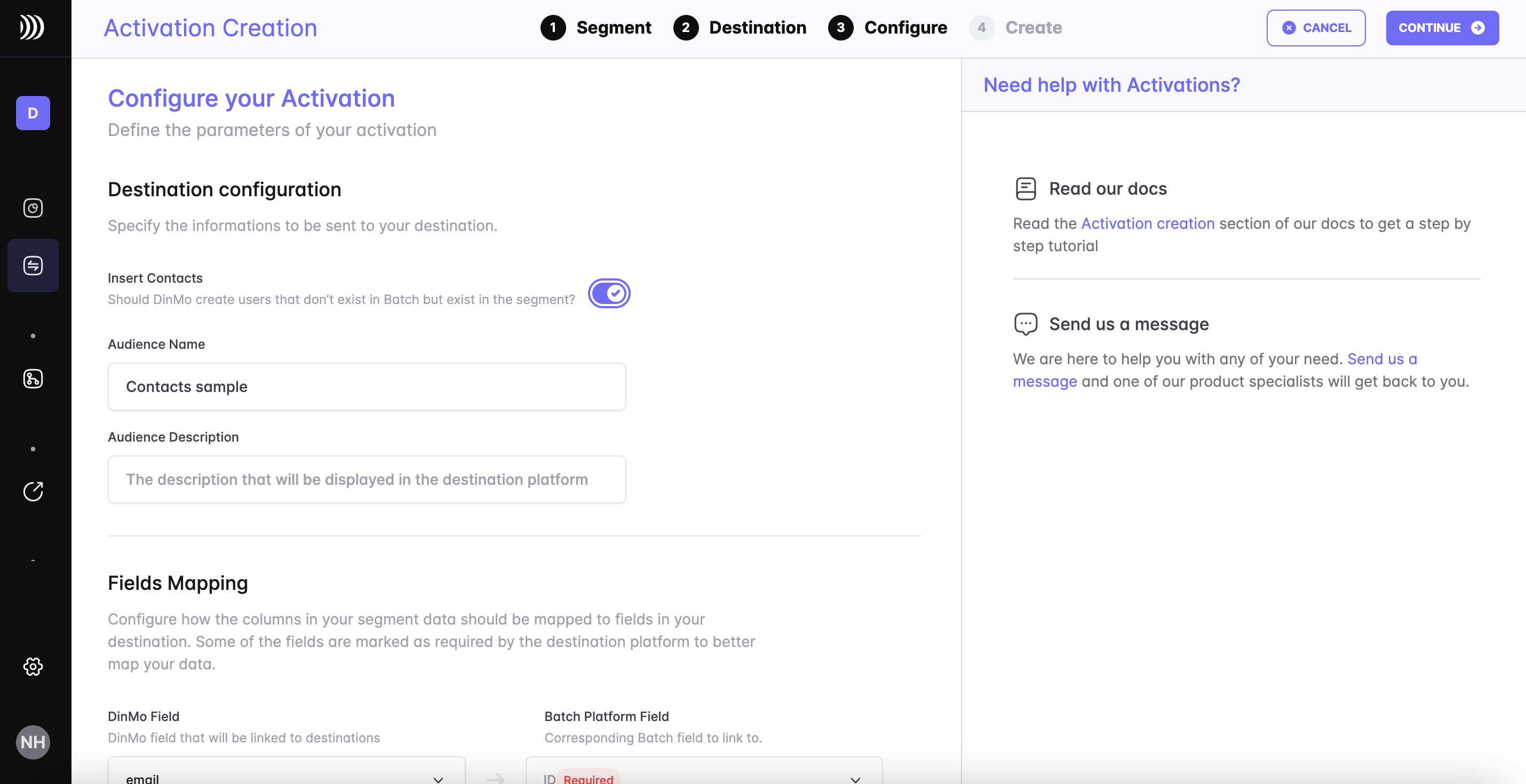
Configure the sync
Then, map the fields of this entity to the fields required by the destination service. Specify which property of your entity correspond to ID to be applied to identify the users in Hubspot. Typically, this would be the email address.
If you click on "Add a mapping", DinMo will propose the custom attributes already created in Hubspot that you may want DinMo to keep up to date.
Under the "Custom Attributes" section, select the properties you wish to export to Hubspot as custom attributes. If they exist with the same name on Hubspot, DinMo will update their values so that they are up to date with the data warehouse data. Else, DinMo will create these custom attributes in the destination.
Under the Scheduling options, choose the default time interval for syncing your segment to the destination. A daily sync is sufficient for most use cases.
Click "Continue," and then click "Create" to finish.
Once the activation is created, it should start syncing immediately. Wait a few moments to ensure that the sync is successful.
That's it! You have successfully synced your Google BigQuery data with Hubspot in DinMo. If you face any issues, refer to DinMo's documentation or contact our support team for assistance.


